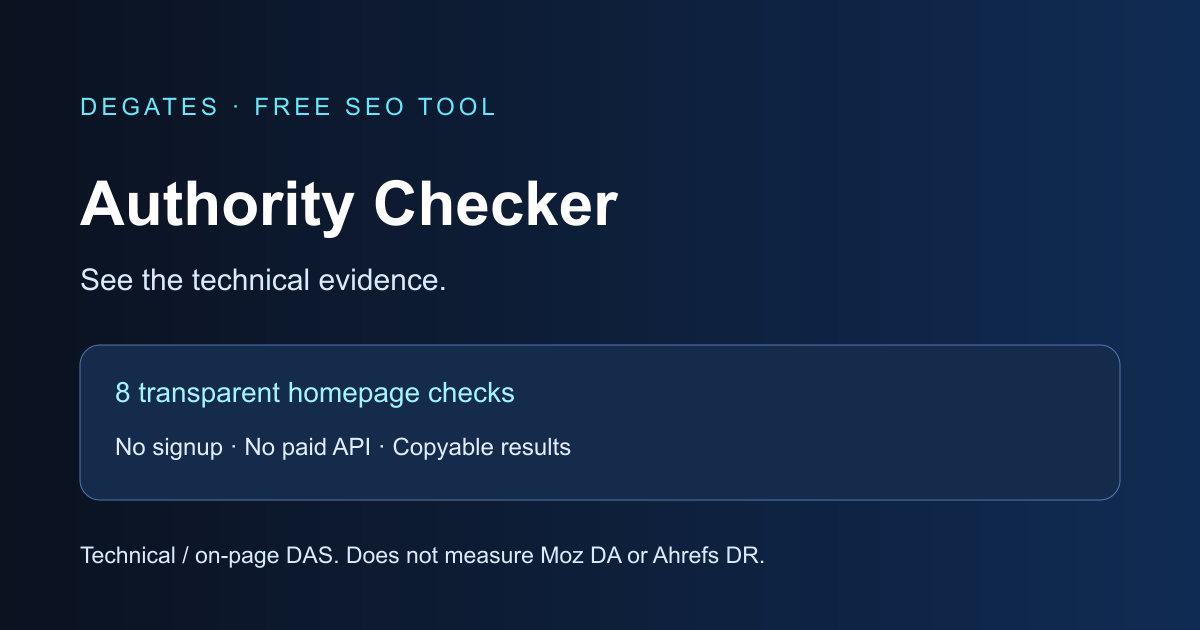
Looking for a free DA authority checker? Start with evidence you can inspect. Degates retrieves a public homepage and checks eight technical and on-page declarations. You receive a Degates Authority Score (DAS), a checklist of observations and practical next steps. The score describes the fetched homepage, not its backlink reputation.
You can use this website authority checker without payment, registration or an API key. However, it does not return Moz Domain Authority or Ahrefs Domain Rating. Backlinks and referring domains are marked as not measured. This distinction matters: a technically complete homepage can still have very few trusted links.
FREE DA AUTHORITY CHECKER · NO ACCOUNT REQUIRED
Inspect your homepage. Understand the evidence.
A transparent technical/on-page assessment from 0–100. This tool does not provide Moz Domain Authority, Ahrefs Domain Rating or backlink counts.
← All free SEO toolsWhat is a DA authority checker?
A domain authority checker usually reports a third-party estimate of backlink strength. Moz DA and Ahrefs DR use different datasets and methods, so their numbers are not interchangeable. Neither is a Google ranking score. If you want to check domain authority using those metrics, you need the corresponding provider’s data.
Degates takes a narrower approach here. It reads the homepage response and reports technical foundations that can be observed directly. Use it to identify missing declarations before exploring the broader Degates SEO tools and page analyzer. That member workspace has its own account requirements and allowances; this public checker does not require an account.
How to use the free DA authority checker
- Enter a public domain, such as example.com, or an HTTP(S) URL. The tool keeps the hostname and discards paths, query strings and fragments.
- Select Check Authority. The server requests the HTTPS homepage and inspects its returned HTML. A robots.txt restriction or a network failure may prevent inspection.
- Read the technical score alongside the individual checks. Each item explains what was observed or what needs review.
- Use Copy results to keep a plain-text record. Compare the checked timestamp when you repeat an analysis after making changes.
The checker rejects inputs containing login details, custom ports, IP addresses or private hostnames. For international domains, use the ASCII punycode form. The tool preserves the original hostname, including www or another subdomain. These can serve different pages, so check them separately before treating them as equivalent.
How the actual Degates scoring system works
DAS technical methodology v1 awards fixed points for eight observable conditions. HTTPS earns 20 points. A nonempty page title and a nonempty meta description earn 15 points each. Exactly one H1, a declared HTML language, a viewport containing width=device-width, an absolute HTTP(S) canonical declaration, and the absence of an observed noindex or none directive earn 10 points each. The maximum is 100.
Points indicate checklist completion rather than the relative ranking value of each element. A title can earn its points even if its wording needs improvement. A canonical declaration earns points for its presence and format; its destination is not verified. Similarly, the absence of noindex does not prove Google can crawl, index or rank a page. Evaluate each finding in context.
Missing HTML declarations earn no points. A failed fetch receives no score, rather than an invented zero. The source is the public homepage response, including relevant robots headers. The checker does not execute JavaScript. Client-rendered content may therefore be missing from the analysis. The tool caches results for up to one hour. The checked time records the retrieval, rather than the date a website last changed.
Domain Authority vs Domain Rating vs Degates score
Moz Domain Authority estimates comparative ranking strength using Moz data. Ahrefs Domain Rating summarizes relative backlink-profile strength using Ahrefs data. Degates DAS on this page measures eight homepage technical and on-page conditions. Despite the shared 0–100 range, these scores answer different questions. Do not convert DAS into DA or DR, average them together or present one as a substitute for another.
How to interpret your results
Read the failed checks first. They show which declarations the checker did not find in the fetched response. A higher website authority score in this checklist means more of these conditions were present; it does not establish reputation, traffic, content accuracy or business credibility. Even 100/100 leaves accessibility, performance, duplicate content and backlink quality largely unexamined.
For a structured follow-up, use the guide on how to audit a website for SEO. Inspect important internal pages as well as the homepage. Keep a dated record of changes, then verify whether the intended HTML actually appears in the server response.
Benefits and limitations
The checklist gives you a repeatable starting point, explains its weights and avoids unavailable backlink estimates. Visitors do not need a paid subscription or a provider account. Protective limits keep repeated requests from overwhelming the service, so free access does not mean unlimited automated access.
The tool cannot measure a whole domain from one homepage. It does not run JavaScript, discover every page, inspect backlink quality or verify search-engine indexing. IPv6-only hosts, invalid TLS certificates, unusually large responses, restricted robots policies, unsupported redirects and unreachable sites can prevent analysis. The tool starts with HTTPS and does not fall back to insecure HTTP when that connection fails.
How to improve website authority and technical foundations
Begin by fixing unintended technical omissions: provide a useful title and description, organize the main heading and declare the page language. Review canonical choices with the Canonical URL Generator. Generated markup still needs correct installation and validation on the intended page.
For equivalent language or regional pages, the Hreflang Tag Generator can help prepare annotations. Hreflang is not part of this score and is only relevant when alternate versions exist. Avoid adding markup simply to chase a checklist number.
Build reputation through useful original resources, accurate sourcing, clear authorship and legitimate mentions from relevant websites. These actions support real users but do not guarantee a particular authority metric. The GEO website audit checklist offers another perspective on accessibility, trust and content clarity for AI search.
Common mistakes to avoid
Do not buy links because a vendor promises a higher score. Avoid comparing different providers as though they share one scale. Do not remove intentional noindex directives from private or low-value pages merely to earn points. Finally, do not mistake cached results for a fresh fetch or a homepage score for a complete site audit.
Frequently asked questions
Is this DA authority checker completely free?
Yes. Visitors can request the technical assessment without payment, registration or an API key. Protective request limits apply. The implementation has no paid API integration, although the website owner still has normal hosting costs.
Does it return Moz DA or Ahrefs DR?
No. This version returns Degates DAS, a technical/on-page checklist score. It does not access Moz or Ahrefs data, and it does not estimate their metrics.
Why are backlinks and referring domains not measured?
A homepage response does not reveal all external pages linking to it. Reliable backlink totals require a suitable backlink index and permission to use its data. This tool leaves those fields unmeasured rather than guessing.
Can a new website score 100?
Yes. A new homepage can include all eight technical conditions. That result does not mean it has established reputation, traffic or strong backlinks.
Why did my result not change after an edit?
The tool caches successful results for up to one hour. Your own website or content-delivery cache may also retain older HTML. Check the result timestamp and confirm the change in the page response before repeating the analysis.
Does the checker inspect the URL path I enter?
No. It normalizes the input to its hostname and requests that host’s HTTPS homepage. The checker discards paths, query strings and fragments. Subdomains remain distinct.
Does a missing signal always indicate an SEO problem?
No. Some directives are intentional, and some content appears only after JavaScript runs. Review the actual page and its purpose before changing it. The checklist identifies observations, not a complete diagnosis.
Is my domain input kept private?
Your browser sends the hostname to Degates so its server can request the public homepage. The tool caches successful results for one hour. The target site can see the checker request, and normal server logs may retain requests. The checker does not ask for credentials or contact a paid SEO provider.
Turn the checklist into useful next steps
Use this free DA authority checker to inspect the technical evidence available from a homepage. Review the individual observations, fix confirmed issues and expand into a full audit when needed. Treat DAS as a starting checklist and measure real backlink authority separately with an appropriately licensed provider.