BUSINESS IDENTITY · FREE SEO TOOL
Turn your organization details into clear JSON-LD.
Use our free Organization Schema Generator to describe your business, nonprofit or institution. Preview, copy and download locally in your browser.
← All free SEO toolsLive JSON-LD preview
Copy includes the script wrapper. Download contains JSON-LD only.
No information is sent to a server. Previewed code is text, never executed or added to this page’s schema.
What Is Organization Schema?
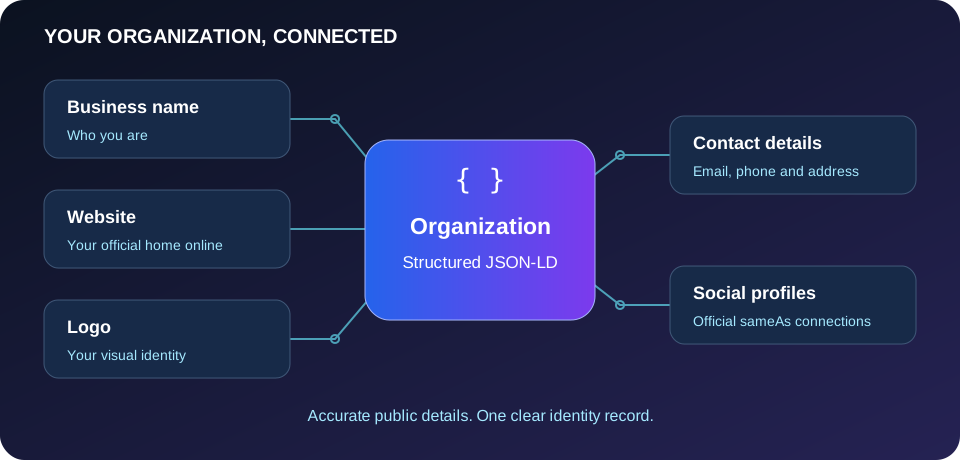
Organization schema is structured data that describes the identity of a business, nonprofit, school or other organization. Instead of asking a search engine to infer every relationship from prose, it labels facts such as the organization’s name, website, logo and contact details. JSON-LD expresses those facts as a small, readable data object inside a script element.
This schema organization generator turns the information you supply into that format. It uses Schema.org vocabulary, including a PostalAddress for location details and sameAs for official social profiles. The required name and website fields are practical requirements of this tool; they are not a promise that any particular search feature will appear. Additional properties are included only when you enter them.
Consistent organization information can help search engines understand which entity a website represents. It also gives maintainers a clear place to review business details when a logo, phone number or office changes. Structured data does not guarantee a knowledge panel, rich results, indexing or higher rankings. Accurate visible information and a useful website still matter.
How to Use the Generator
Start with the public organization name and the main website address. Use the organization’s own website rather than a marketplace listing or a tracking link. Add an absolute logo URL if you have a stable image that represents the organization. The generator checks URL syntax, but it cannot confirm that the image exists, is crawlable or meets a search engine’s image requirements.
Enter a concise description, public email and telephone number when they are appropriate to publish. Include the international dialing prefix so people outside your country can understand the number. For the address, use the actual organization location and a clear country name or two-letter country code. Leave private contact details blank.
Select a subtype only if it fits: Corporation for a corporation, NGO for a nongovernmental organization, or EducationalOrganization for an educational institution. Use Organization when a narrower category would be misleading. Add the founding date only when you know the exact date. Enter official social profile addresses on separate lines; duplicate normalized URLs are removed automatically.
Review the live preview after each change. Load Example supplies fictional data to demonstrate the structure, so replace every example detail before publishing. Copy Code gives you a complete script element. Download JSON-LD saves the JSON data separately; add the script wrapper when embedding that file’s contents into HTML.
Implement Organization JSON-LD on Your Website
Place the reviewed markup on a relevant page, commonly the homepage or an organization information page. Keep the information consistent with what visitors can read. Use your site’s supported template, code insertion mechanism or structured data settings, and inspect the rendered page source afterward. A visual editor may remove script tags, so confirm the code actually survives publication.
If Yoast or another plugin already describes your organization, update that existing record instead of adding a conflicting duplicate. This organization schema generator only produces a snippet for you to use; it does not alter Degates’ canonical tags or inject your organization into this tool page. Test the final markup with the Schema.org Validator and review Google’s Organization guidance for supported search properties.
Common Organization Schema Mistakes
Avoid inventing founding dates, using unofficial social accounts or choosing a subtype because it sounds more impressive. Do not include a temporary logo link that requires a login. Keep spelling, address and contact information consistent across your website. When business details change, update both the visible page and its structured data. A syntactically valid snippet can still contain inaccurate facts.
Organization markup describes the entity, not every item it sells. Use the Product Listing Schema Generator for individual products. Review page titles with the Meta Tag Generator, preferred addresses with the Canonical URL Generator, and language relationships with the Hreflang Tag Generator.
Organization Schema FAQs
Do I need every optional field?
No. Use accurate details you can verify and publish. Blank optional fields are omitted, which is better than placeholder values or guessed information.
Does this tool validate Google eligibility?
No. It validates inputs and JSON structure locally. Search eligibility also depends on implementation, supported properties, content and search engine policies.
Can I use it for a nonprofit?
Yes. Organization is broad enough for many institutions. Choose NGO only when that subtype accurately applies to your organization.
Is my business information stored?
No. Generation, copying and downloading happen in your browser. This tool has no account, external API or submission service.