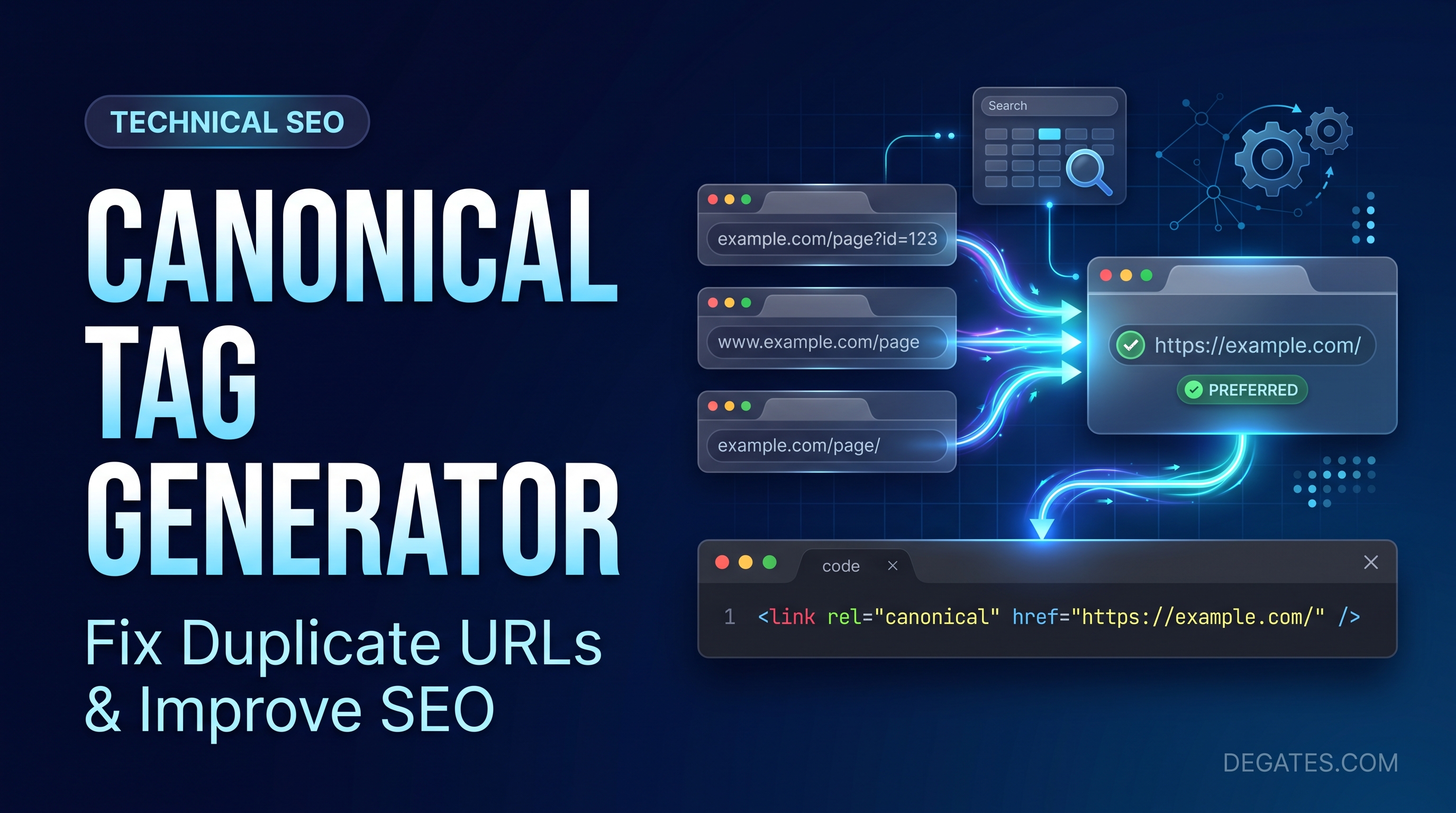
You publish a page, optimize its title, add useful content, and wait for Google to find it. A few weeks later, you notice something strange: Google has indexed a different URL than the one you expected.
The content is the same. The page looks identical. Only the URL is different.
This is a common situation on websites that use tracking parameters, product filters, multiple category paths, or different versions of the same content.
A canonical tag helps search engines understand which URL you would prefer them to treat as the main version.
And if you’re not comfortable writing HTML yourself, a canonical tag generator makes creating the markup much easier.
What Is a Canonical Tag?
A canonical tag is an HTML element that identifies the preferred URL for a page when duplicate or very similar content exists at multiple addresses.
It belongs inside the
section of an HTML document.For example:
This tells Google that https://example.com/roof-repair/ is the URL you prefer.
However, a canonical tag is a signal, not a command. Google considers other factors when selecting the canonical URL, including redirects, internal links, sitemaps, and the content itself.
Google explains this in its canonicalization documentation.
Why Do Websites Need Canonical URLs?
Duplicate URLs are more common than most website owners realize.
Imagine an online store selling running shoes.
Customers might reach the same product through several URLs:
https://example.com/running-shoes/
https://example.com/running-shoes/?utm_source=email
https://example.com/running-shoes/?sort=popular
If those URLs display substantially the same content, Google may need to decide which version to index and show in search results.
Canonical tags help communicate your preferred choice.
They can also reduce confusion when multiple URLs represent the same primary content.
This doesn’t mean every URL variation automatically needs a different canonical strategy. Some filtered or parameterized pages serve distinct search intents and deserve separate evaluation.
How to Use a Canonical Tag Generator
You don’t need to memorize HTML syntax to create a canonical tag.
The process is straightforward.
Step 1: Identify the Preferred URL
Choose the URL that should represent the main version of the content.
For example:
https://example.com/services/roof-repair/
Make sure it is the correct page, not a temporary redirect or an outdated address.
Step 2: Enter the URL
Open a canonical tag generator and enter your preferred absolute URL, including https://.
Avoid using tracking parameters unless they are intentionally part of the canonical destination.
Step 3: Generate the HTML Tag
A typical generator produces markup such as:
Review the output carefully, especially the domain, protocol, path, and trailing slash.
Step 4: Add the Tag to Your Website
Place the tag in the HTML
section of the relevant page.If you’re using WordPress with an SEO plugin such as Yoast SEO, you may already have canonical tags generated automatically.
In that case, don’t add a second tag manually without checking the existing output.
Step 5: Verify the Canonical URL
After publishing, inspect the page source and confirm that the intended canonical tag appears correctly.
You can also use Google Search Console to inspect how Google interprets a URL.
Remember that Google’s selected canonical can differ from the canonical you declare.
Self-Referencing Canonical Tags Explained
A self-referencing canonical points back to the page on which it appears.
For example, this page:
https://example.com/about/
can contain:
This is useful because even a page without obvious duplicates may eventually be accessed through tracking parameters or other URL variations.
A self-referencing canonical helps reinforce your preferred URL.
It isn’t mandatory on every page, but it is a common and sensible implementation for indexable pages.
Five Canonical Tag Mistakes to Avoid
1. Pointing to a Broken URL
A canonical URL should normally resolve successfully and represent the content you want indexed.
If the destination returns a 404 error, your canonical configuration needs attention.
2. Using Multiple Conflicting Canonical Tags
A page that declares two different canonical URLs creates ambiguity.
Check whether your theme, SEO plugin, and custom code are generating overlapping tags.
3. Canonicalizing Every Page to the Homepage
This is particularly damaging on service websites.
Your roofing repair, plumbing, electrical, and HVAC pages may serve different purposes.
Pointing all of them to the homepage can interfere with their individual search visibility.
Canonical tags should reflect actual duplicate or near-duplicate relationships, not simply your most important URL.
4. Mixing HTTPS and HTTP Versions
If HTTPS is your preferred version, make sure your canonical URLs consistently use HTTPS.
Avoid contradictory signals from redirects, internal links, and canonical annotations.
5. Using Canonical Tags Instead of Redirects
If an old URL has permanently moved and users should no longer access it, a permanent redirect may be the more appropriate solution.
Canonical tags and redirects serve different purposes.
A canonical can help with accessible duplicate pages, while a redirect sends users and crawlers to a different URL.
Canonical Tags vs. Noindex: What’s the Difference?
These two directives are often confused.
A canonical tag expresses a preference about which duplicate or similar URL should be treated as primary.
A noindex directive asks search engines not to index a page.
They aren’t interchangeable.
Google generally recommends using canonicalization methods rather than noindex when your goal is to consolidate duplicate URLs.
For more details, see Google’s guide to specifying a canonical URL.
Do Canonical Tags Improve Rankings?
A canonical tag doesn’t directly increase a page’s ranking simply because it exists.
Its value is in helping search engines understand duplicate content and preferred URLs.
Correct canonicalization can help consolidate signals associated with duplicate pages and make your website’s indexing behavior more predictable.
But it cannot replace good content, useful internal links, a technically sound website, or relevant backlinks.
Frequently Asked Questions
Is a canonical tag necessary for every page?
Not strictly. However, self-referencing canonicals are widely used on indexable pages to clarify the preferred URL.
Can I create canonical tags without coding?
Yes. A canonical tag generator can create the HTML markup. You still need to install and verify it correctly.
Does WordPress automatically create canonical tags?
Many WordPress SEO plugins, including Yoast SEO, generate canonical tags automatically. Check your existing page source before adding custom markup.
Can two pages use the same canonical URL?
Yes, when they contain duplicate or substantially similar content and one is the preferred version. Don’t use the same canonical for unrelated pages.
Can Google ignore my canonical tag?
Yes. Google treats canonical annotations as signals and may select a different canonical based on the available evidence.
Final Thoughts
Canonical tags are a small part of your website’s HTML, but they can make a meaningful difference to how search engines interpret duplicate URLs.
The most important decision isn’t how to write the tag. It’s choosing the correct destination.
Start by identifying your preferred URLs, review duplicate page relationships, generate the appropriate markup, and verify the implementation after publishing.
A canonical tag generator can save time, but careful URL selection and technical validation are what make canonicalization effective.
Leave a Reply