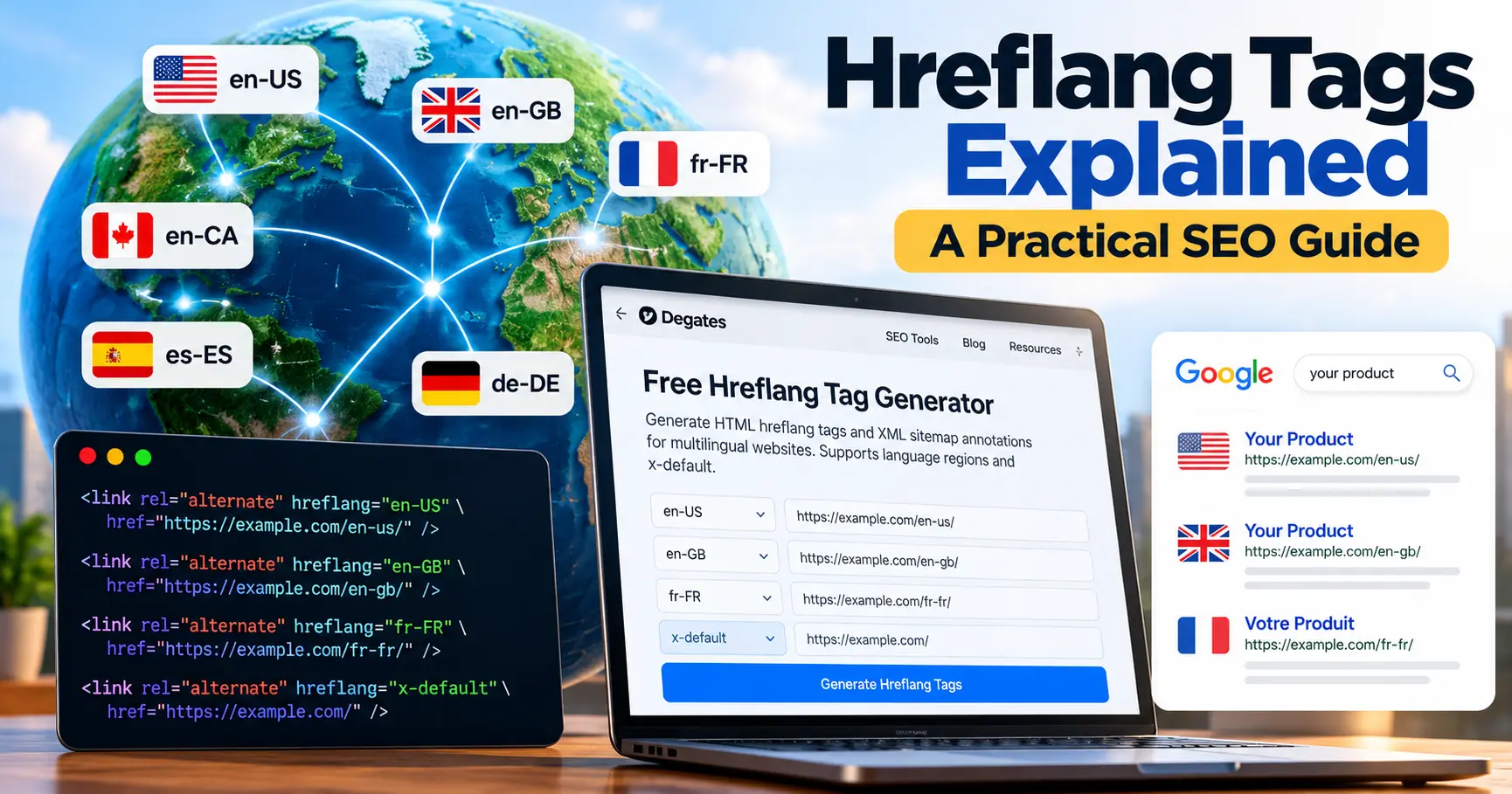
Imagine running an online store that serves customers in the United States, the United Kingdom, and France. Your products might be similar across all three markets, but your visitors expect different languages, currencies, shipping information, and regional details.
A customer in London probably wants to see prices in pounds. Someone in Paris would prefer a French-language product page. Meanwhile, a visitor from New York may need US shipping information.
This is where hreflang tags become useful.
Hreflang helps Google understand which pages are intended for different languages and regions. When implemented correctly, these annotations can help Google show users a more appropriate version of your content in search results.
In this guide, we’ll explain what hreflang tags are, when to use them, how to implement them, and which mistakes to avoid. You’ll also find practical examples you can adapt to your own website.
What Are Hreflang Tags?
Hreflang tags are HTML annotations that identify alternate versions of a webpage intended for different languages or geographic regions.
For example, a business might have three versions of the same product page:
An English page for customers in the United States
An English page for customers in the United Kingdom
A French page for customers in France
Although these pages cover the same product, each version serves a different audience.
Hreflang annotations help Google understand that these URLs belong to the same group of localized pages.
A basic hreflang tag looks like this:
<link rel="alternate" hreflang="en-US"
href="https://example.com/en-us/product/" />
Let’s break down the important parts:
rel=”alternate” identifies the URL as an alternate version.
hreflang=”en-US” indicates English content intended for the United States.
href specifies the full URL of that localized page.
The tag does not automatically translate content or redirect visitors. Its purpose is to describe the relationship between existing localized URLs.
Why Are Hreflang Tags Important for SEO?
International SEO involves more than translating a website. Search engines also need to understand which version of a page is relevant to a particular audience.
Hreflang annotations help address this challenge.
1. They Help Google Select an Appropriate Regional Page
Consider an ecommerce company with separate US and UK websites.
Both websites might describe the same product in English, but their prices, delivery information, and return policies differ.
Without clear localization signals, Google may have difficulty choosing the most appropriate URL for a searcher.
Hreflang gives Google additional information about the intended audience of each version.
2. They Support Multilingual Websites
A business publishing content in English, French, and German can use hreflang to connect equivalent pages.
This helps Google understand that the translated pages are related, rather than unrelated pieces of content.
However, hreflang is not a substitute for accurate translation or useful localized content.
3. They Can Improve the Search Experience
A visitor who lands on a page in the wrong language may leave immediately.
Showing an appropriate localized page can make it easier for visitors to understand the content, navigate the website, and complete their intended actions.
Hreflang can support this experience by helping Google select the relevant URL.
Important: Hreflang is not a direct ranking boost. Adding tags alone does not guarantee higher positions or more traffic.
Understanding Hreflang Language and Region Codes
Hreflang uses standardized language and optional region codes.
Here are some common examples:
Hreflang Code
Intended Audience
en
English speakers generally
en-US
English speakers in the United States
en-GB
English speakers in the United Kingdom
en-CA
English speakers in Canada
fr-FR
French speakers in France
fr-CA
French speakers in Canada
de-DE
German speakers in Germany
es-ES
Spanish speakers in Spain
x-default
Fallback page for unmatched languages or regions
The first part identifies the language. The optional second part identifies the region.
For example, en-US and en-GB both represent English-language content, but they target different regional audiences.
A common mistake is using only a country code, such as US, without a language code. That is not a valid way to identify a US-English page.
You should also avoid assuming that a country’s language is always the same as its country code.
How to Implement Hreflang Tags in HTML
Let’s walk through a practical example.
Suppose your business has three localized versions of a service page:
United States:
https://example.com/en-us/services/
United Kingdom:
https://example.com/en-gb/services/
France:
https://example.com/fr-fr/services/
You can create the following annotations:
<link rel="alternate" hreflang="en-US"
href="https://example.com/en-us/services/" />
<link rel="alternate" hreflang="en-GB"
href="https://example.com/en-gb/services/" /><link rel="alternate" hreflang="fr-FR"
href="https://example.com/fr-fr/services/" />Place these annotations inside the HTML
section.Here’s the part that website owners sometimes overlook: each localized version must reference itself and the other versions.
That means the US, UK, and French pages should all contain the same complete group of hreflang annotations.
If the UK page references the US page, but the US page does not reference the UK page, Google may ignore that unconfirmed relationship.
These are commonly called reciprocal or return links.
Generate the Tags Without Writing Code
Manually preparing hreflang tags is manageable for a few pages, but it becomes repetitive when a website has many language variations.
You can use the Free Hreflang Tag Generator from Degates to prepare the required annotations.
Enter your language-region codes and corresponding URLs, generate the output, and copy the HTML tags into your website’s implementation.
The tool also supports XML sitemap annotations and the x-default value.
Remember that generating tags is only the first step. They still need to be installed correctly on the relevant pages.
For a step-by-step walkthrough, read How to Generate Hreflang Tags Correctly.
What Is x-default in Hreflang?
The x-default attribute identifies a fallback URL for users whose language or regional preferences do not match the localized versions you have specified.
For example, imagine a website with dedicated pages for US, UK, and French visitors.
The website also has an international homepage where visitors can choose their country.
That international homepage can be designated as the default destination.
<link rel="alternate" hreflang="en-US"
href="https://example.com/en-us/" />
<link rel="alternate" hreflang="en-GB"
href="https://example.com/en-gb/" /><link rel="alternate" hreflang="fr-FR"
href="https://example.com/fr-fr/" /><link rel="alternate" hreflang="x-default"
href="https://example.com/international/" />In this example, the international page is the fallback for audiences without a matching localized version.
You don’t necessarily need a separate international page. Depending on your website structure, an existing default-language page may be appropriate.
The important thing is to choose a destination that genuinely makes sense for visitors.
Hreflang Implementation Using XML Sitemaps
HTML annotations are not the only way to communicate localized page relationships to Google.
You can also include hreflang information in an XML sitemap.
This method can be useful for websites with many localized pages, especially when modifying individual page templates is inconvenient.
Here is a simplified example containing two language versions:
<?xml version="1.0" encoding="UTF-8"?>
<urlset
 xmlns="http://www.sitemaps.org/schemas/sitemap/0.9"
 xmlns:xhtml="http://www.w3.org/1999/xhtml">

 <url>
  <loc>https://example.com/en/page/</loc>
  <xhtml:link rel="alternate"
   hreflang="en"
   href="https://example.com/en/page/"/>
  <xhtml:link rel="alternate"
   hreflang="fr"
   href="https://example.com/fr/page/"/>
 </url>

 <url>
  <loc>https://example.com/fr/page/</loc>
  <xhtml:link rel="alternate"
   hreflang="en"
   href="https://example.com/en/page/"/>
  <xhtml:link rel="alternate"
   hreflang="fr"
   href="https://example.com/fr/page/"/>
 </url>

</urlset>
Notice that both URL entries include the complete set of language alternatives.
This is important because Google expects each URL entry to identify the alternate versions, including itself.
Google supports three hreflang implementation methods: HTML tags, HTTP headers, and XML sitemaps.
You generally need to choose only one method. Using all three does not provide an additional Google Search benefit and may make maintenance more difficult.
Hreflang vs. Canonical Tags: What’s the Difference?
Hreflang and canonical tags solve different SEO problems.
A canonical tag indicates the preferred URL when multiple URLs contain duplicate or substantially similar content.
After choosing your preferred URL, use the Canonical URL Generator to format its tag. The tool does not choose the preferred URL for you.
Hreflang identifies localized alternatives intended for different audiences.
For example:
<link rel="canonical"
href="https://example.com/en-us/product/" />
This tells Google that the US product URL is the preferred canonical for that page.
Meanwhile:
<link rel="alternate" hreflang="en-GB"
href="https://example.com/en-gb/product/" />
This identifies the UK version as a regional alternative.
For genuinely localized pages that should each be indexed, a common approach is to give each version its own self-referencing canonical and connect the versions through hreflang.
However, regional duplicates in the same language can require more careful canonical decisions.
Avoid automatically canonicalizing every translated or localized page to the US version. That may undermine your goal of having separate localized URLs available in search.
Seven Common Hreflang Mistakes to Avoid
Even small configuration mistakes can prevent hreflang annotations from working as intended.
1. Missing Return Tags
If Page A references Page B, Page B should also reference Page A.
Missing reciprocal annotations can cause Google to disregard the relationship.
2. Forgetting Self-Referencing Annotations
Each page should include an hreflang reference to itself as part of its complete alternate-language group.
3. Using Incorrect Language Codes
Codes such as en-US and fr-FR follow the expected language-region format.
Invalid or unsupported values may not be interpreted as intended.
4. Linking to Broken Pages
An hreflang annotation should point to a real, accessible localized URL.
Review URLs for broken links, accidental redirects, and incorrect destinations.
5. Mixing Unrelated Pages
Hreflang should connect equivalent content.
A French contact page should not be paired with an English product page simply because both pages exist on the same website.
6. Conflicting Canonical Instructions
If a localized page points to another language version as its canonical, Google may not treat the localized URL as an independent search result.
Review canonical and hreflang signals together.
7. Assuming Tags Automatically Fix International SEO
Hreflang cannot repair poor translations, inaccessible pages, weak content, or confusing navigation.
A successful international website still needs clear language choices, localized information, and technically accessible pages.
How to Check Whether Hreflang Tags Are Working
After implementing hreflang, don’t stop at generating the code.
Review the actual published pages.
Step 1: Inspect the HTML source.
Open each localized page and check that the intended annotations appear in the HTML
section.Step 2: Confirm the URLs.
Make sure every alternate URL is correct, accessible, and points to the corresponding localized content.
Step 3: Check reciprocal annotations.
Verify that the relevant pages reference one another.
Step 4: Review canonical tags.
Check whether canonical signals support your intended localized URL structure.
Step 5: Use Google Search Console.
Inspect the individual URLs to understand indexing and canonicalization. Search Console does not provide a dedicated comprehensive hreflang validation report, so manual or specialized validation is still useful.
Step 6: Monitor international search performance.
Review search traffic, impressions, and landing pages across your target countries over time.
Remember that Google may take time to crawl and process changes, and hreflang annotations do not guarantee a particular search result.
A Practical Hreflang Checklist
Before considering your implementation complete, confirm the following:
Every language version has its own accessible URL.
Language and region codes are valid.
Alternate URLs use full HTTPS addresses.
Each page includes a self-reference.
Equivalent pages reference one another.
Canonical URLs are appropriate.
The optional x-default URL points to a useful fallback.
No hreflang URL leads to an unrelated page.
HTML or XML annotations appear in the correct location.
The implementation has been checked after publishing.
This checklist is especially helpful when expanding into additional countries or adding new translated content.
Frequently Asked Questions About Hreflang
Is hreflang a Google ranking factor?
Hreflang is not a direct ranking boost. It helps Google understand localized page relationships and choose an appropriate version for searchers.
Do I need hreflang for an English-only website?
Not usually, if your website has only one version of each page. Hreflang becomes useful when you have equivalent pages targeting different languages or regions, including multiple regional versions written in English.
Can I use hreflang on WordPress?
Yes. WordPress websites can implement hreflang through appropriate plugins, theme or development work, or XML sitemap configurations. The correct approach depends on how the site’s localized pages are managed.
Is x-default mandatory?
No. It is optional, but it can be useful when your website has a sensible fallback page for visitors outside its specified language or regional audiences.
Can hreflang tags point to different domains?
Yes. Alternate language versions can be hosted on different domains, subdomains, or subdirectories, provided the annotations are implemented correctly.
Does hreflang translate my website?
No. Hreflang only describes the relationship between existing localized URLs. You must create and maintain the translated or region-specific content separately.
Should I use HTML tags or an XML sitemap?
Either can work. Choose the method that is easiest to implement accurately and maintain consistently across your website.
Final Thoughts
Hreflang is a useful part of international SEO, but its real value comes from clarity.
It helps Google understand which pages belong together and which audiences those pages are designed to serve.
The fundamentals are straightforward: create useful localized pages, assign valid language-region codes, include reciprocal annotations, and avoid conflicting canonical signals.
Whether you’re managing two language versions or dozens of regional pages, a consistent implementation makes the website easier to maintain and troubleshoot.
Ready to create your tags?
Try the Free Hreflang Tag Generator by Degates to generate HTML hreflang annotations and XML sitemap entries without writing them manually.
For additional guidance, see Google Search Central’s official documentation on localized page versions.
Leave a Reply